
How to Use the Kalamazoo County Inmate Inquiry
The Sheriff runs a public roster called the Kalamazoo County Sheriff Inmate Inquiry. It does not need a login. It does not charge a fee. The portal title at the top of the page reads "Kalamazoo County Sheriff Inmate Inquiry." The default view is set to current custody, so a fresh search returns people held in the jail right now. A small change to one checkbox widens the scope. A change to the date fields can pull older bookings into view.
The lead-in screenshot below shows the public Sheriff Inmate Inquiry portal as it appeared on the inspection date.
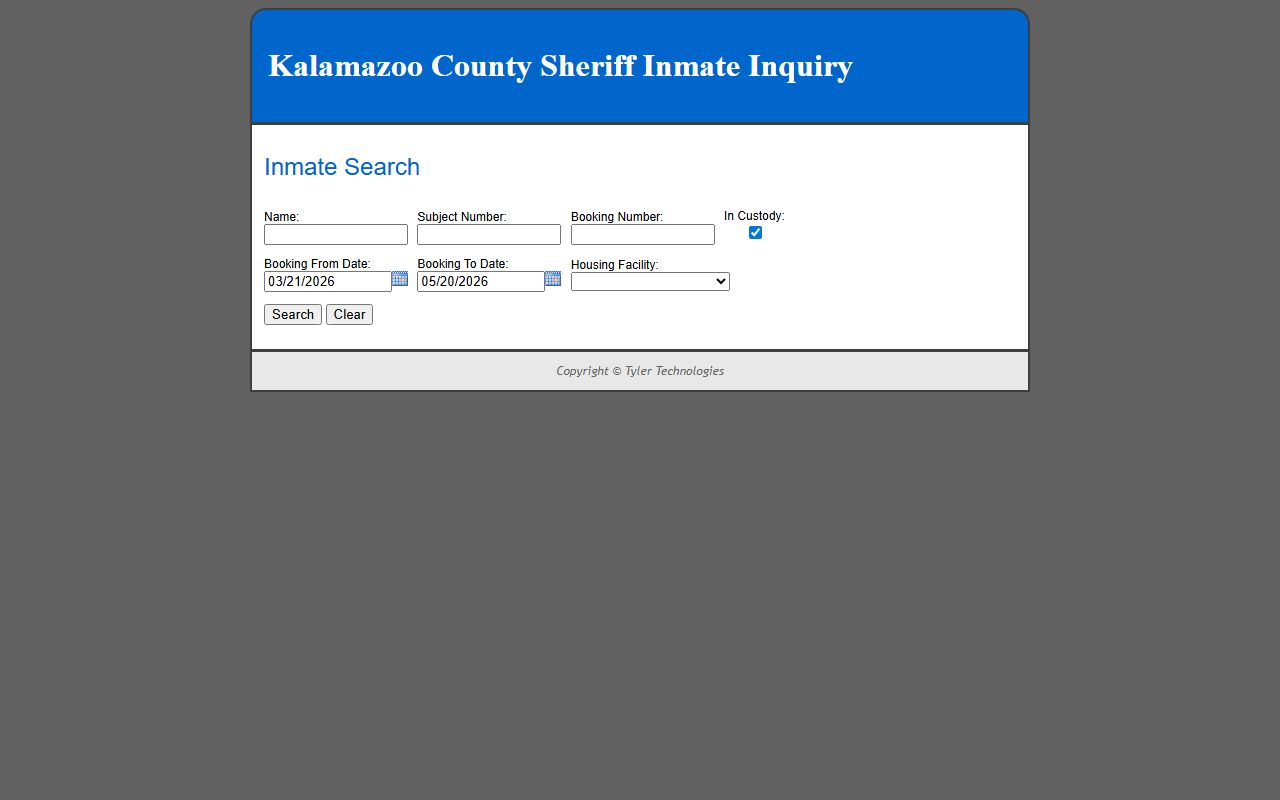
The steps below match the live form. Each step uses one field at a time. Use a clean last name when the booking number is not known.
- Open the Sheriff Inmate Inquiry portal in a browser.
- Type a last name in the Name field. Leave it blank to run a date-only search.
- Paste a Subject Number or Booking Number if a jail letter, bondsman, or court note gave you one.
- Leave the In Custody box checked for active jail bookings. Uncheck it to widen the search to released people.
- Adjust the Booking From Date and Booking To Date for the window you want to see.
- Pick a Housing Facility if the dropdown is set. The default is the Kalamazoo County Jail.
- Press Search. Press Clear to reset the form and start over.
- Click a Name in the results table to open the inmate detail page.
The portal returns a result table with one row per match. The detail page is where the booking date, charges, and bond amounts live.
Kalamazoo County Inmate Search Fields
The Sheriff Inmate Inquiry form is short. Each field is optional. Mixing fields narrows results. The table below lists every input on the public form, the type, and a short note for each. Field labels match the live portal.
| Field Label | Type | Required | Notes |
|---|---|---|---|
| Name | Text | Optional | Last name, first name, or name text. Surname only is best for broad searches. |
| Subject Number | Text | Optional | Internal subject ID for the person. Use it if a jail or court paper shows it. |
| Booking Number | Text | Optional | Booking ID for a single jail stay. Best exact match input. |
| In Custody | Checkbox | Optional | Checked by default. Title text says "Currently jailed only." Uncheck to look for released people. |
| Booking From Date | Date | Optional | MM/DD/YYYY format. The default is a recent date that runs back about sixty days. |
| Booking To Date | Date | Optional | MM/DD/YYYY format. The default is the current date. |
| Housing Facility | Dropdown | Optional | Default is the Kalamazoo County Jail. Other values may appear if the agency adds them. |
| Search | Button | n/a | Runs the query. |
| Clear | Button | n/a | Resets all fields to default. |
Note: The In Custody box stays checked unless you change it, so a default search misses any release that happened before the page loaded.
Result Columns and How to Read Them
The result table is short by design. It is a pick list, not a full record. The Name column links to the full detail page. The other columns help you sort large name matches before you click. Some fields stay blank when no value applies.
| Column | What It Shows |
|---|---|
| Name | Clickable link to the inmate detail page. Use the name to open the booking record. |
| In Custody | Yes or No flag. Yes means held in jail now. No means released or moved. |
| Race | Public demographic field. Used to narrow common name matches. |
| Gender | Public demographic field. Used to narrow common name matches. |
| Multiple Bookings | Flag that shows more than one booking record exists for the same person. Blank if not applicable. |
| Housing Facility | Where the person is held. Default value seen is Kalamazoo County Jail. |
The In Custody flag in the table can show Yes even when the larger search filter is set to look at past bookings. Read each row, not just the count at the top.
What an Inmate Detail Page Shows
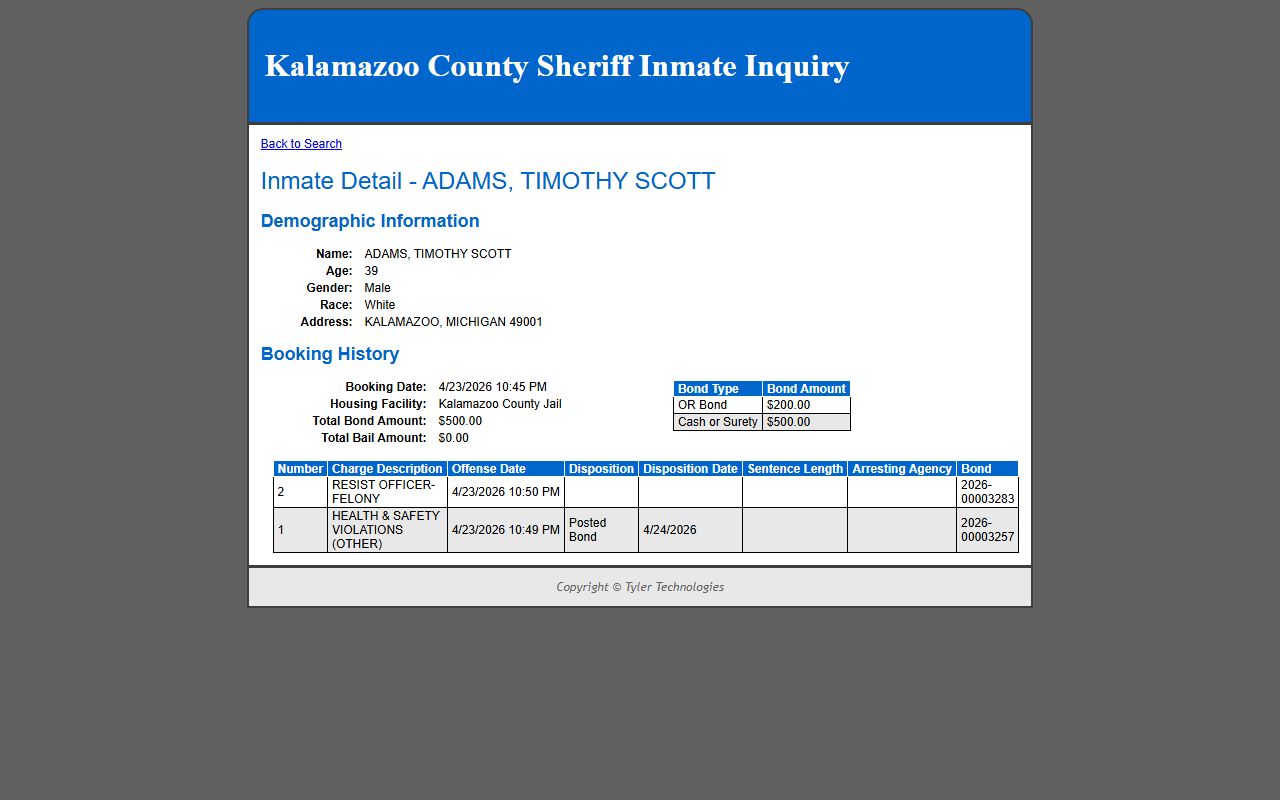
The detail page is the second screen. It opens after a click on a Name in the results table. The page title reads "Inmate Detail" plus the person's name. The page is split into a demographic block and a booking history block. Charges and bonds live inside the booking history block as nested tables.
The lead-in screenshot below shows a sample inmate detail page on the public portal. The detail captured on the inspection date listed the fields shown in the table that follows.
| Field | What It Shows |
|---|---|
| Name | Full legal name of the inmate as booked. |
| Age | Age at the time the page is rendered. |
| Gender | Demographic value collected at booking. |
| Race | Demographic value collected at booking. |
| Address | City, state, and ZIP from the booking record. |
| Booking Date | Date and time the booking record was created. |
| Housing Facility | Where the inmate is held. Default value is Kalamazoo County Jail. |
| Total Bond Amount | Sum of bond set across all open charges in the booking. |
| Total Bail Amount | Sum of bail across all open charges in the booking. |
| Booking Bonds: Bond Type | OR Bond, Cash or Surety, or other type defined by the court. |
| Booking Bonds: Bond Amount | Dollar amount tied to each bond row. |
| Booking Charges: Number | Charge line number inside the booking. |
| Booking Charges: Charge Description | Plain text label of the offense, often with statute reference. |
| Booking Charges: Offense Date | Date the offense is alleged to have occurred. |
| Booking Charges: Disposition | Current charge status. May show bond posted or other text. |
| Booking Charges: Disposition Date | Date the disposition was entered. |
| Booking Charges: Sentence Length | Sentence imposed if any. Blank when pending. |
| Booking Charges: Arresting Agency | Police agency that brought the person in. |
| Booking Charges: Bond | Bond reference tied to the charge line. |
Fields not seen in the captured public detail include date of birth, height, weight, eye color, hair color, pod or cell, court date, judge or magistrate, and a separate warrant number. Some of those may exist in the back-end record but they were not part of the public HTML on the inspection date.
Bond and Bail Fields Explained
The bond and bail fields confuse people because they look almost the same. They are not the same. Bond is the promise to appear, backed by money or surety. Bail is the money tied to that promise. Kalamazoo's public detail page lists Total Bond Amount and Total Bail Amount as separate lines. It also lists per-charge bond data inside the booking charges table. A short glossary helps.
- OR Bond: Own Recognizance. No money posted. The person is released on a written promise to appear.
- Cash or Surety: Either the full cash amount is posted, or a licensed surety posts a bond for a fee.
- 10% Bond: A partial cash deposit accepted by the court, usually ten percent of the face amount.
- Total Bond Amount: Sum of every bond face value across all charges in the booking.
- Total Bail Amount: Sum of bail money tied to those bonds.
- Surety: A licensed bail-bond agent who guarantees the appearance for a fee.
- Forfeiture: What happens when a defendant fails to appear and the court calls the bond.
Bond decisions come from the court, not the jail. The jail posts what the court orders. A judge or magistrate sets the bond at arraignment or at a later bond hearing. The Sheriff site shows that posted amount.
Booking Charges and Dispositions
Each row in the booking charges table is one charge line. A booking can hold one charge or many. A felony case may show several counts. A misdemeanor case may show one. Read each row top to bottom. The number column is just a sort key. The charge description is the plain-text offense. The offense date is when the alleged act took place. The disposition field is the current status of that charge inside the jail system, not the final court outcome. The disposition date is when the jail record was last updated for that line.
Charges are not convictions. A booking record can list serious charges that the prosecutor later drops, reduces, or replaces. A jail disposition like "bond posted" only means the bond was posted. It does not mean the case is over. The court file is the source for sentence and final disposition. Use the Kalamazoo County court records route and a D08 District Court or C09 Circuit Court case lookup to read the court side.
Mugshots in the Kalamazoo Inmate Profile
Mugshots are common on county jail rosters, but Kalamazoo's public Inmate Inquiry detail page did not show a photo field in the HTML captured for this build. That does not prove a photo is never shown. Layouts change. The portal vendor can add or remove fields without notice. Treat photo presence as not guaranteed. Plan to call the Sheriff's records office if a booking photo is needed for an official purpose. Third-party mugshot sites are not the same as the official record and can carry errors.
The Sheriff also handles general records under Michigan FOIA. The FOIA chain begins with MCL 15.231, and exemptions sit at MCL 15.243. A photo, an incident report, or a custody log may need a FOIA request when it is not posted on the public roster.
Current Custody vs Released Inmate Search
One checkbox controls the whole tone of the search. The In Custody box is checked by default. A default run lists people held in the jail at the moment the query is processed. A booking that ended an hour ago can vanish from a default result. The fix is to uncheck the box and widen the date range. The result table will then show people whose booking record sits inside the date window even if they have since been released.
The portal does not publish a dedicated "recently released" tab. The released-inmate workflow uses the same form with the In Custody box off. For a deeper walk-through, see the released inmates page. To verify a release that affects mail, money, or a court date, call the jail using the contact data on the official jail information page, because the public roster updates on a delay.
Kalamazoo County Jail Information
The Kalamazoo County Jail is run by the Sheriff. The official Jail Information page publishes the address, the inmate inquiry link, and rules for visiting, mail, money, phones, and commissary as they change. The Sheriff's main site at kalcounty.gov/sheriff covers the wider law-enforcement role.
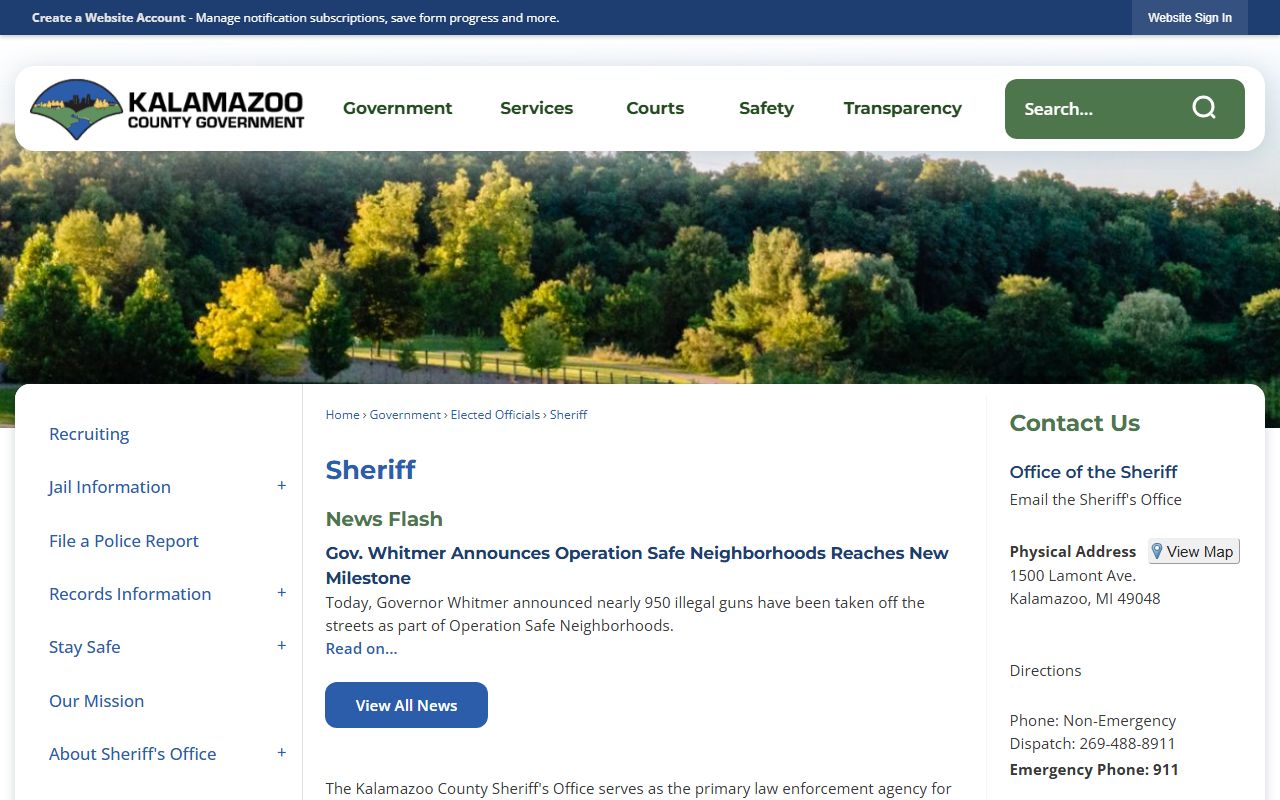
The lead-in screenshot below shows the Kalamazoo County Sheriff page, which is the top-level link for jail, civil process, and patrol divisions.
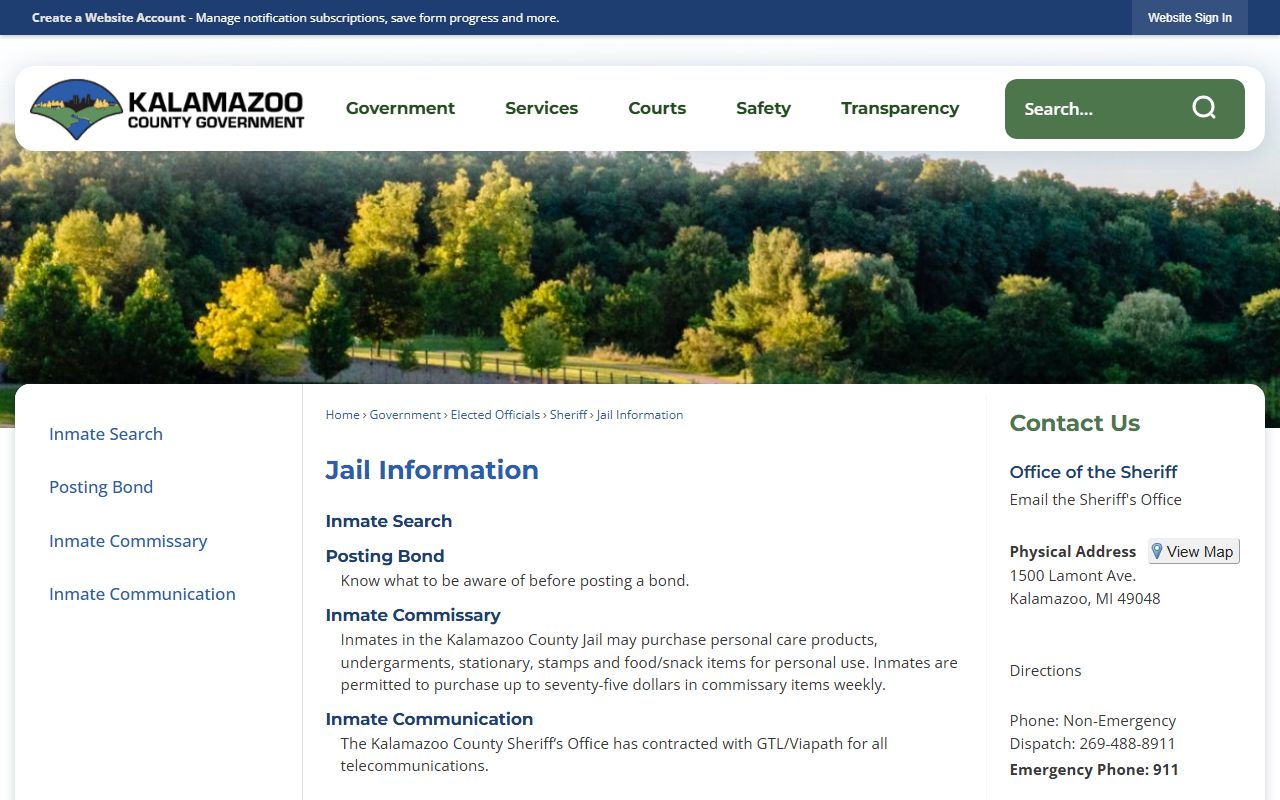
The next screenshot shows the Jail Information page on the official county site. That page is the right home base for current rules. Specifics on jail capacity, visitation, mail handling, phone vendor, and commissary were not captured for this build and should be checked there before relying on them.
Kalamazoo County Jail
Operated by the Kalamazoo County Sheriff
Kalamazoo, MI
Jail info: kalcounty.gov/Jail-Information
Sheriff site: kalcounty.gov/sheriff
Inmate roster: cad.kccda911.org Inmate Inquiry
The exact street address, intake hours, and capacity figures should be confirmed on the official jail information page because those values change with staffing, construction, and policy updates.
Visitation Hours and Schedule
Visit rules at the Kalamazoo County Jail change with staffing, security alerts, and vendor contracts. The captured official pages for this build did not list a fixed weekly schedule, so the table below is a structure for the topic, not a final timetable. Every row should be verified on the official jail information page before a visit is planned.
| Topic | What to Confirm | Where |
|---|---|---|
| In-Person Visitation | Day, time block, and visitor limit per session | Verify on jail information page |
| Video Visitation | Vendor, scheduling URL, fees, and minimum lead time | Verify on jail information page |
| Mail to Inmates | Mailing address format, name and booking number rules, and banned items | Verify on jail information page |
| Money Deposits | Kiosk, online, phone, vendor, and fee structure | Verify on jail information page |
| Commissary | Order schedule, vendor, and item limits | Verify on jail information page |
| Phone Calls | Provider, account setup, and per-minute rates | Verify on jail information page |
| Attorney Visits | Separate process, ID, and bar-card rules | Verify on jail information page |
| Visitor ID and Dress Code | Government ID required, dress and bag rules | Verify on jail information page |
Before a trip, confirm that the person is still in custody. A release can drop a name from the roster the same day. After a release, mail and money sent to the jail can be returned or held. The Sheriff Inmate Inquiry is the fastest way to verify present custody before the drive.
Setting Up VINELink Notifications
VINELink is the public side of the VINE system. Michigan's route lives at vinelink.vineapps.com/state/MI. VINELink sends phone, text, email, or app alerts when an offender's custody status changes at a participating agency. The most common alert is a release. Victims, family, and witnesses use it. Anyone can register. The service is free.
The lead-in screenshot below points to VINELink Michigan. The form on that page lets a user search by offender name or ID before they register for alerts.
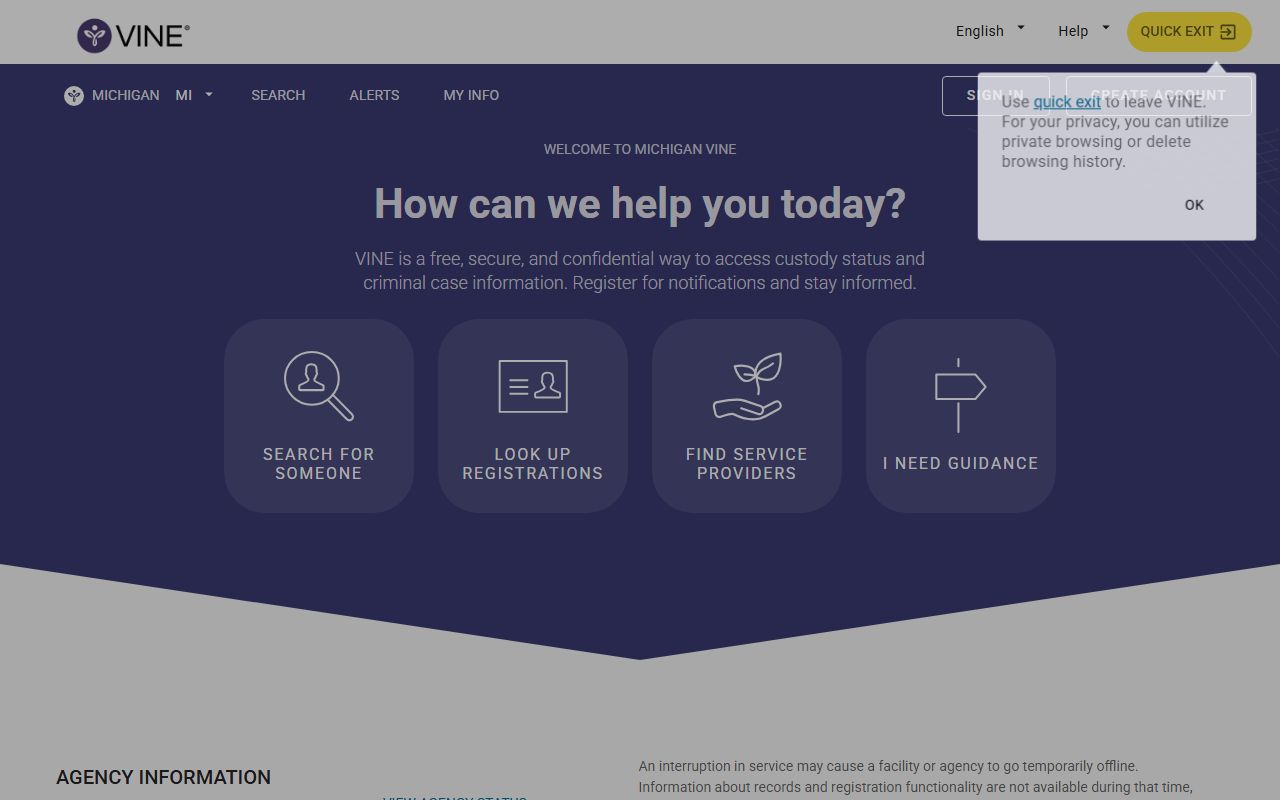
VINELink coverage depends on whether the local agency feeds data to the system. Sign up does not guarantee a real-time alert. Always combine VINELink with the Sheriff Inmate Inquiry when the timing of a release matters for safety or court compliance.
State and Federal Inmate Search
A Kalamazoo booking covers local custody. People sentenced to state prison shift to the Michigan Department of Corrections. Federal cases move into the Bureau of Prisons. Each system has its own public locator. The tables below match the fields seen on those locators.
Use the Michigan DOC OTIS landing or the direct form at mdocweb.state.mi.us OTIS to find a state prisoner or parolee.
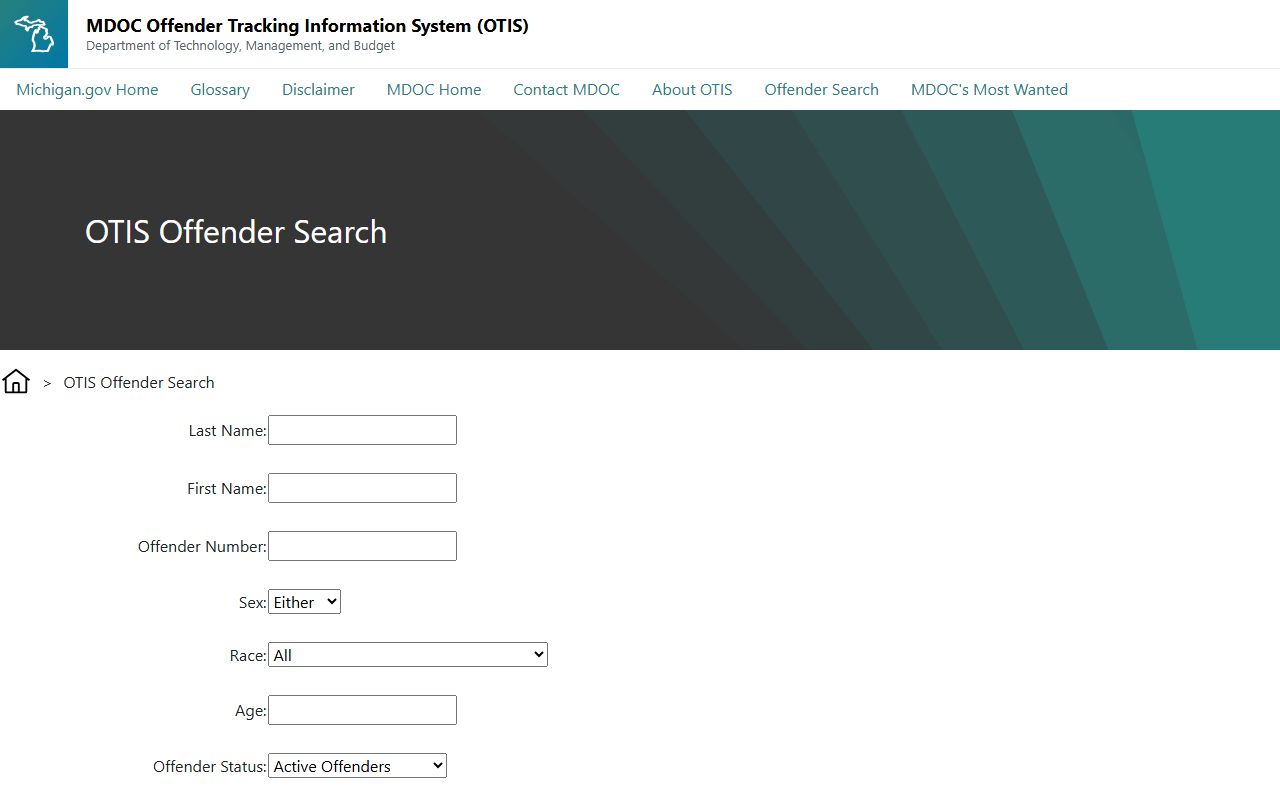
| Field Label | Type | Notes |
|---|---|---|
| MDOC Number | Text | Best exact identifier for a state offender. |
| Last Name | Text | Search by surname. |
| First Name | Text | Narrow by given name. |
| Sex | Filter | Demographic filter. |
| Race | Filter | Demographic filter. |
| Age | Text or range | Demographic filter. |
| Search | Button | Runs the OTIS query. |
The BOP locator at bop.gov/inmateloc covers federal prisoners. The form lets a user search by BOP number or by name with race, age, and sex filters.
| Field Label | Type | Notes |
|---|---|---|
| Find by Number | Radio / tab | BOP Register Number, DCDC, FBI, or INS number. |
| Find by Name | Radio / tab | Name search with filters. |
| First Name | Text | Name search. |
| Middle Name | Text | Name search. |
| Last Name | Text | Required for name search. |
| Race | Dropdown | Filter. |
| Age | Text | Filter. |
| Sex | Dropdown | Filter. |
The Michigan Sex Offender Registry is a separate public tool. The registry lets a user search by name, address, city, ZIP, or county, and supports map-based lookups. Use Kalamazoo as the county filter for a county-level scan. Offender profiles on the registry can show aliases, address, conviction data, and compliance status under the state public-safety statute.